
PlayinMatch 365 mirror sign-in
PlayinMatch 365 Login — Genuine Mirror Sign-In That Keeps Your Wallet Intact
Use your existing PlayinMatch username and password on the 365 address whenever the main one refuses to load. Indian internet providers block betting domains from time to time, and 365 is the standby for those days; whichever mirror lets you in, the account behind it holds the same ID, the same rupees and the same bet history.

PlayinMatch 365 Login Card — Same Genuine Username, No Second ID
The 365 route checks these two entries against the PlayinMatch account you opened originally, so a blocked main domain costs you a different link and nothing more.
Main address still loading fine? Use the regular PlayinMatch login page instead; 365 is the fallback, not a replacement.
Why Does PlayinMatch 365 Login Exist? A Genuine Mirror for the Day the Main Address Goes Dark
PlayinMatch 365 login exists because the main PlayinMatch address can stop opening for reasons that have nothing to do with your account: an Indian ISP blocks the domain, or the address itself is down. The 365 mirror is the sign-in you use during that window, and it reads from the same wallet.
That is the whole idea. Short version: different door, same room.
Blocks are inconsistent, and that inconsistency is the giveaway. A Jio line might fail while an Airtel phone in the same room loads PlayinMatch normally, or a browser might show a provider notice, or just a blank tab that keeps spinning. A dead account would fail on every network. A blocked address fails on some of them and not others, which is exactly the pattern 365 is there to get around.
So before you assume your PlayinMatch ID is in trouble, separate the two problems. If the page never loads at all, that is an address problem, and the 365 mirror is built for exactly that. If the page loads, the sign-in card appears, and then you get an error after typing your password, the address is fine and the issue sits with the credentials (which is a different fix, covered further down).
Quick test that costs nothing: switch the phone from Wi-Fi to mobile data, or the other way round, and reload the main PlayinMatch address once. If it opens on one network and not the other, you are looking at an ISP block, and 365 is the right move rather than a password reset.
One thing the mirror does not do is create a fresh account. Nobody at PlayinMatch issues a new ID because you changed address, and you should not ask for one. Your balance, your open bets, your deposit record and your withdrawal history are tied to the username, not to the domain in the browser bar, which is why PlayinMatch can move you between addresses without any transfer step at all.
The brand has run since 2020 (the story behind PlayinMatch covers that), and in practice blocks have been a recurring part of running an India-facing exchange through every one of those years. Mirrors are the boring, practical answer. They are not a trick, and they are not a separate company wearing the PlayinMatch name.
Spotting a Fake PlayinMatch 365 Login Page — Proven Signs Before You Type a Password
Blocks bring copycats. When the main PlayinMatch address goes quiet for a day, pages with 365 in the name start circulating, and a few of them exist only to collect usernames and passwords. You can usually tell within a screen or two.
A real mirror asks for the same two details as the main address and nothing else beore the lobby. Be wary of any page that wants you to create a new 365 password, pay a small activation deposit to move your balance, or share the OTP with someone in a chat window. PlayinMatch does none of those things on any address. The desk will never need your OTP either; that code is for your eyes and the sign-in box only.
Then there is the balance test from earlier. A lookalike can copy the layout, the logo, even the dice, but it cannot know what sits in your wallet. If the number after sign-in is zero, or a round figure you do not recognise, close the tab, change your password through the genuine address once it works again, and tell the desk which link you used so they can warn others.
Easiest prevention of all: save the PlayinMatch 365 link from this page today, while nothing is broken, instead of hunting for it in a hurry on match night.
PlayinMatch 365 Login Mirror Switch — Which Real Address Opens When the Main One Won't
Every PlayinMatch address in the chart below logs into one account. Pick by situation, not by habit.
| Address | Open it when | What it gives you |
|---|---|---|
| 365 | The main domain is down or blocked on your network | Mirror sign-in with your existing username and password |
| 247 | You play late and want the round-the-clock address bookmarked | Same wallet, an address kept up through the night |
| 99 | You typed the brand with 99 or someone sent you that spelling | A spelling variant; the payout floor stays ₹1,500, unchanged |
| com mobile | You are on a phone and want the light m. version | Loads in roughly 3 seconds on Jio or Airtel |
| online | You do not want to install anything | Browser play with a pinned home-screen icon |
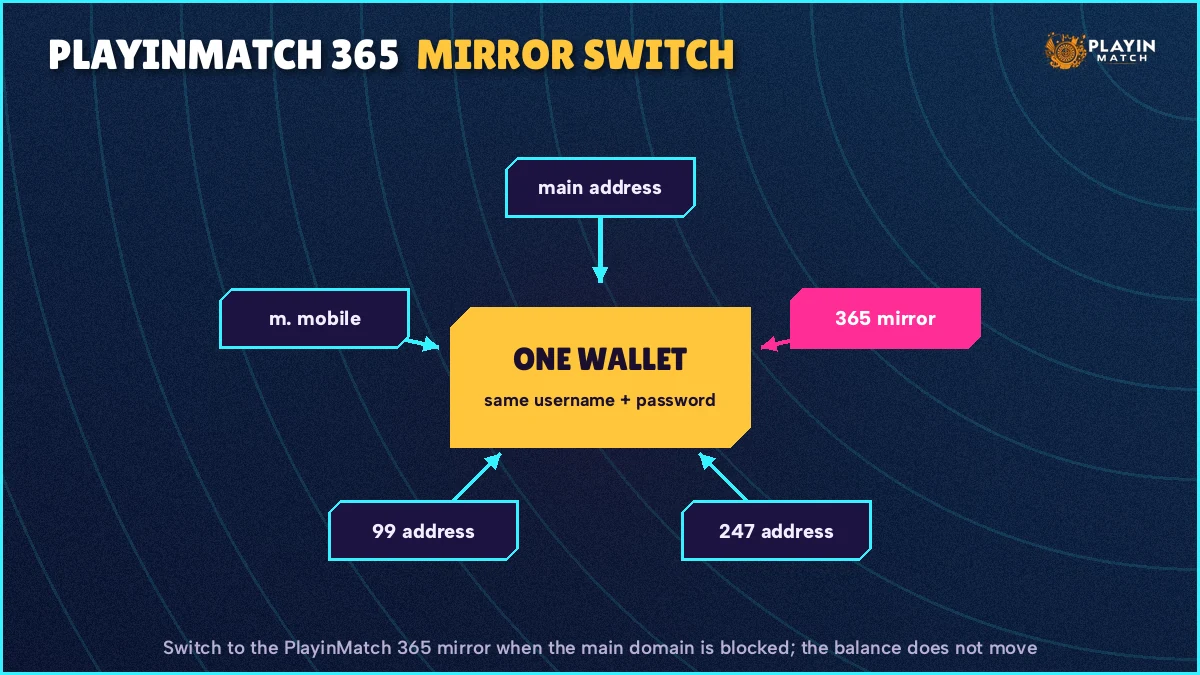
Read the first row twice, because it is the one this page owns. The PlayinMatch 365 address earns its place on the day something breaks. On a normal day you probably will not need it, and that is fine.
The other rows matter mostly as alternatives when 365 itself is also unreachable on your connection, which does happen when an ISP blocks a batch of addresses together. If that is your evening, the PlayinMatch 247 address is the next one worth trying, then the PlayinMatch com mobile version on a phone.
A few notes the chart cannot fit. The PlayinMatch 99 spelling confuses people more than any other address, mostly because they assume a number in the name means a separate brand with separate rules. It does not. The PlayinMatch 99 page exists so that people who search with that spelling land somewhere real, and the same ₹1,500 minimum applies when you withdraw from it, exactly as it does anywhere else.
The m. address is the light one. Three seconds or so on Jio or Airtel is the figure, which makes it the sensible pick when your signal is weak at a ground or on a train and the full lobby keeps stalling. The online route is for people who never want an app on the phone: open it in the browser, pin the icon to the home screen, and from then on it behaves like an app without being one.
None of these is a PlayinMatch upgrade over the others. They are simply different addresses pointing at one account. Wherever you sign in, the balance you see should match to the rupee; if it ever does not, stop and message the desk before placing anything.
After PlayinMatch 365 Login — Real Money Moves on the Mirror Work as Before
Deposits, withdrawals and open bets behave on the PlayinMatch 365 mirror exactly as they do on the main address, because the wallet behind both is the same. Nothing is held back, delayed or re-checked just because you signed in through 365.
A UPI deposit sent while you are on the mirror credits on the normal schedule (the PlayinMatch 247 page has the timing, including the middle of the night). A withdrawal request raised on 365 joins the same IMPS batches as one raised anywhere else; the PlayinMatch withdrawal time breakdown lists the hours, the floor and the cap. If a payout runs late, the four usual causes and the complaint format sit on the withdrawal problem page, and the address you used has nothing to do with any of them.
Open bets placed on the main address before the block show up on 365 the moment you sign in. That surprises people. It should not. They were never stored on the address in the first place.
One habit worth building: when you sign back in on the main PlayinMatch address after the block clears, glance at the balance once more, the same way you did on the mirror. It should match. It nearly always does. On the rare occasion something looks off, a screenshot and a message to the desk sort it faster than any amount of refreshing.
Players under 18 cannot hold a PlayinMatch ID on any address, mirror included.
PlayinMatch 365 Login Username and Password — the Same Safe Pair You Already Use
On the 365 mirror you type the same two things as on the main PlayinMatch address: your username (or the phone number you registered with) and your password. There is no separate 365 password, no 365 PIN, and no migration form. If a page asks you to set one up, you are not on a real PlayinMatch mirror.
Here is the switch from start to finish, the way most people actually do it on a phone.
- Confirm the main PlayinMatch address is really failing. Reload it once, then try the other network as described above. Two failures in a row on both is enough.
- Open the 365 route from a link you trust: the sign-in card on this page, or the address the PlayinMatch WhatsApp desk sends you. Avoid addresses pasted into group chats by strangers.
- Enter the PlayinMatch username the way the desk first sent it to you; leaving out an underscore or a trailing digit is enough to get refused.
- Type the password you use on the main address. Check the keyboard has not switched to caps or to a Hindi layout halfway through.
- If an OTP screen appears, enter the code sent to your registered phone (more on that in the next section).
- Once the lobby loads, look at the balance before anything else and compare it with what you last saw on the main address.
Step six is the one people skip. Don't. It takes four seconds and it is the single best proof that you have reached the genuine PlayinMatch 365 mirror rather than a lookalike page: a copycat cannot show your real balance, your last deposit or your open bets, because it has no access to your wallet.
PlayinMatch 365 Login Errors After a Real Password Is Typed — a Proven Order of Fixes
Suppose the 365 page loads and the PlayinMatch sign-in card takes your details, and then refuses them. The address is doing its job; the issue is now with what was typed or with the account state. Work through it in this order.
First, the typo. Most refusals are a username with one character off, typed from memory on a mirror you have never used before, where the browser has not saved anything yet. Copy the usernae from an old WhatsApp message from the desk if you still have it.
Second, the lock. After a few wrong passwords in a row PlayinMatch locks sign-in for a short while and then lifts it by itself; the exact count and the length of the wait are on the main PlayinMatch login walkthrough, and they apply identically on 365 because it is the same account. Hammering the button during the lock just restarts your wait. Put the phone down.
Third, the message that says the account is blocked, which is different from the short lock and usually follows several locks in a row. That one does not lift on its own. You need the PlayinMatch customer care desk to clear it, and that page explains what to include in the request so it gets handled in one go rather than three.
Lost the password altogether? Opening a fresh account to dodge the problem is the one move that makes it worse: PlayinMatch allows one ID per person, and a duplicate tends to surface exactly when you ask for a payout. Ask the desk about the account you already have.
A small composite example, because this is how it usually goes. Saturday night, an IPL match into its second innings, and a player in Indore finds the main PlayinMatch address timing out on home Wi-Fi. He opens 365 from the link the desk sent him months ago, types his username from memory, gets it wrong twice, then stops, finds the old chat, copies it properly and is in. Balance matches. Total delay: a few minutes, most of it spent on the typo.
PlayinMatch 365 Login OTP on a New Phone — a Real Safety Check, Not a Fault
An OTP during PlayinMatch 365 login normally means the account sees a device it does not recognise yet. Enter the six digits sent to your registered number and carry on; it is the same check the main address runs on a new phone, and it protects the wallet that both addresses share.
People often meet this check for the first time on the mirror, which makes them think 365 is behaving oddly. It is not. Very often the main address was always opened on one old phone, and the day it gets blocked is also the day someone borrows a sibling's handset or signs in from a new one, so the device check and the address switch land together. Two unrelated things, one evening.
The code has a short life. How long exactly, and why, is set out on the PlayinMatch sign-in page; for the mirror the practical point is simple: have the registered phone in your hand before you tap sign-in, not in another room on charge.
PlayinMatch 365 Login OTP Not Arriving — a Quick Checklist That Usually Works
- Check that the phone receiving the SMS is the number you registered with PlayinMatch, not a second SIM you added later.
- Let the current code expire before you request another; firing off three requests in a row only leaves you guessing which one is live.
- If you are travelling and the registered SIM has weak signal, step outside or switch to the network with better coverage for a minute.
- Changed your number since you joined PlayinMatch? Then the code is going to the old one, and only the desk can update it.
Why bother with a check at all on a mirror? Because the mirror is exactly where an outsider would try their luck. Someone who has your username from an old screenshot cannot get past a code that goes to your phone. The PlayinMatch safety page explains how the new-device OTP fits with the other protections on the account, including when identity documents come into it.
Once you are through, the PlayinMatch 365 mirror remembers that browser for future sessions, at least in the usual case; clearing cookies or switching browsers can bring the check back, which is mildly annoying and nothing to worry about.
Is There a PlayinMatch 365 App? The Genuine Install Route for Android and iPhone
The PlayinMatch 365 app is not a separate product. People searching for it want the regular PlayinMatch app, which signs into the same wallet whichever address is currently working, so there is nothing extra to download for the mirror and no 365-branded file you should trust.
That last part matters. When an address gets blocked, a wave of files claiming to be a special 365 build tends to appear in Telegram groups and on download sites. Treat every one of them with suspicion.
On Android, the real PlayinMatch app comes as one APK, and the PlayinMatch app download page carries the current build number, the file size, the Android version it needs and the single permission it asks for. Check those against whatever you have installed. If anything differs, uninstall and fetch the right one.
Older builds are a grey area. Some still sign in, but the old-version PlayinMatch APK notes explain which one counts as the safe build today and why copies from third-party mirrors fail the signature check; a PlayinMatch 365 app from such a site is, almost by definition, one of those copies.
iPhone owners will not find PlayinMatch in the App Store. What works instead is a Safari shortcut, and the app download page shows the taps. The useful part for mirror users: open whichever PlayinMatch address is alive at that moment, save it to the home screen, and that icon keeps opening the same address.
If you mostly follow matches while betting, the PlayinMatch live app covers the score refresh beside the bet slip and how much data a session eats. It is the same install, just used differently.
A fair question at this point: does the app even get blocked like the website? Sometimes the app keeps working while the main site address fails in a browser, and sometimes both stall together; it depends on how the block was applied, and from the outside it is hard to say which you will get. Keep the 365 mirror bookmarked either way. Two routes into the same PlayinMatch account beat one.
And if you would rather skip installs entirely, the browser route from the switch chart above (pin the icon, play in the browser) does the same job with less to maintain. Some people keep both: the app on their main phone, the pinned mirror on a a backup.
PlayinMatch 365 Login Searches People Really Type
- playinmatch 365 login
- playinmatch 365 app
- playinmatch 365 login link
- playinmatch 365 mirror today
- playinmatch 365 login nahi ho raha
- playinmatch 365 id password
- playinmatch 365 login otp
- playinmatch 365 new link kaha milega
- playinmatch 365 ya 247
PlayinMatch 365 Login Questions — Genuine Answers
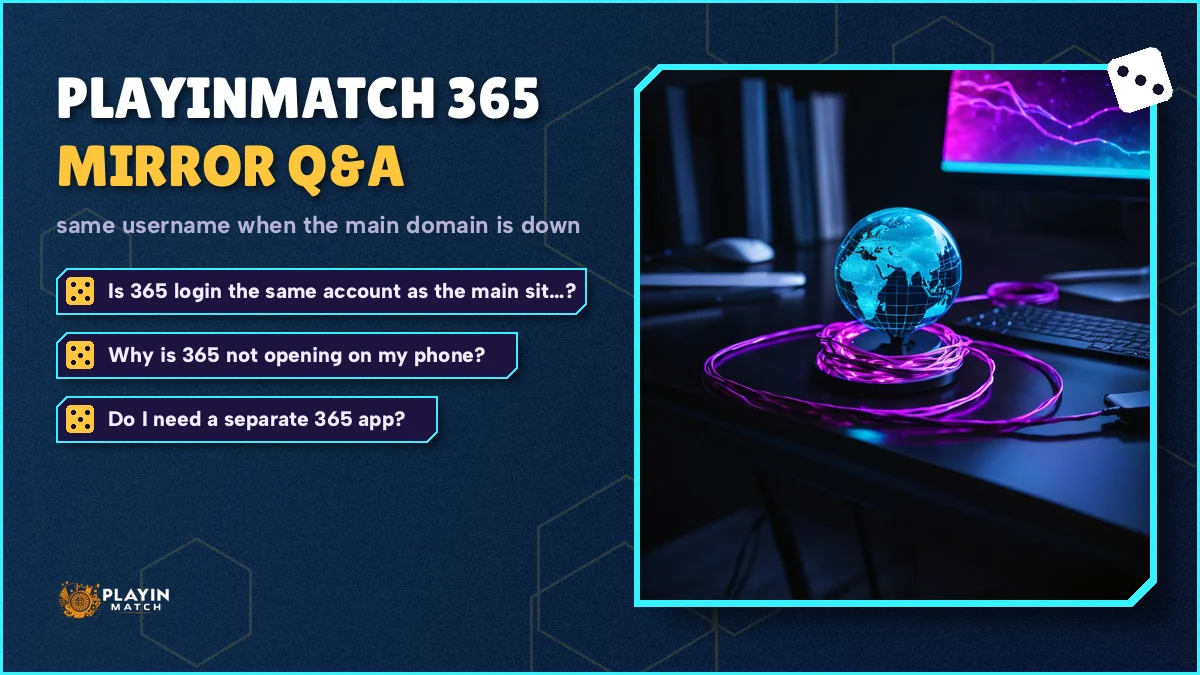
Is PlayinMatch 365 login the same account as the main site?
Yes. PlayinMatch 365 login opens the same account you use on the main address, with the same username, password, balance and bet history. The 365 address is only a mirror for days when the main domain is down or blocked, so there is no transfer, no new ID and nothing to set up.
Why is PlayinMatch 365 not opening on my phone?
Usually because the network you are on has blocked that address too. Reload once on the other connection, mobile data instead of Wi-Fi or the reverse. If PlayinMatch 365 still will not load, the 247 and com mobile addresses use the same wallet, and the WhatsApp desk can send whichever link is working that day.
Do I need a separate PlayinMatch 365 app?
No. There is no separate PlayinMatch 365 app. The regular PlayinMatch Android app and the iPhone home-screen shortcut sign into the same account as every mirror. Files offered online under a 365 name should be avoided; download only from the app page on this site and check the build details there.
Is it safe to log in on the PlayinMatch 365 mirror?
It is safe when you open the genuine address from this site or from the PlayinMatch desk. After signing in, check that your balance matches what you last saw, since a fake page cannot show your real wallet. A new phone also triggers the usual OTP check, which blocks anyone holding only your username.